Find room G0195, open the door using the key in the safe (you should know the code).
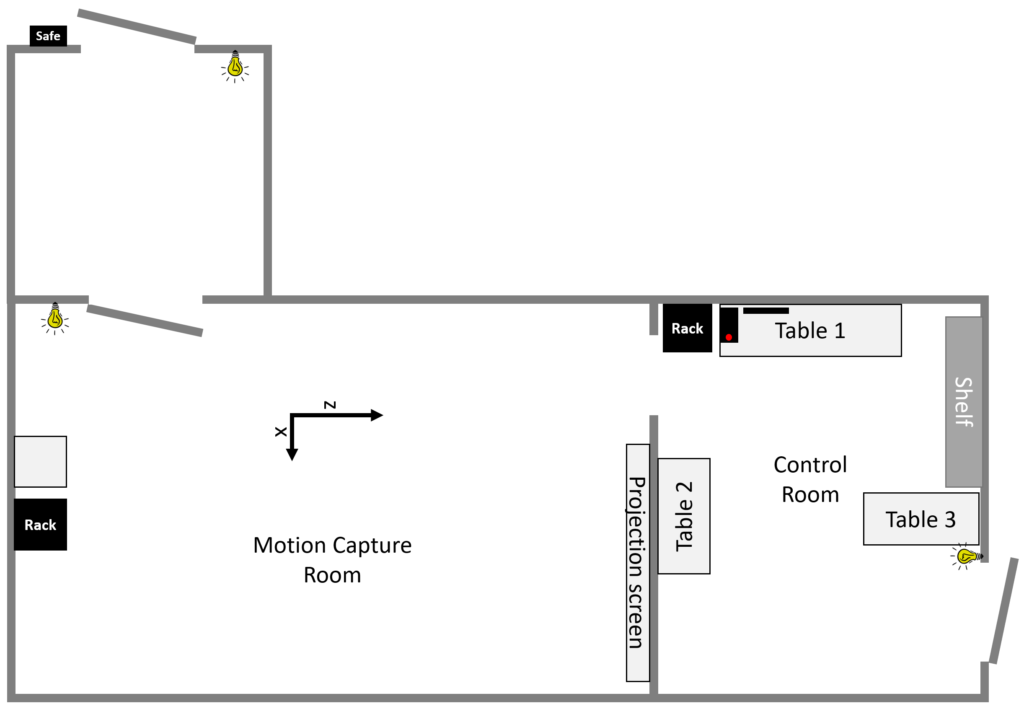
Turn on the lights, be careful, the control room light button is next to the door at the back of the room (which is in the dark).
Open the black rack next to the Table 1 and turn on the power strip inside it. The OptiTrack switch and cameras should switch on.
Turn on the computer on Table 1 (the button is represented by the red dot). Use the account of your choice, or CopeLab by default…

Launch Motive from the Windows taskbar (see image above)